
EQ Reply
EQ Reply
Create high-EQ replies in seconds
The world's first unlimited free AI conversation tool
100% FreePowered by DeepSeek's latest modelNo loginUnlimited generations
0/500 characters
Real conversation examples
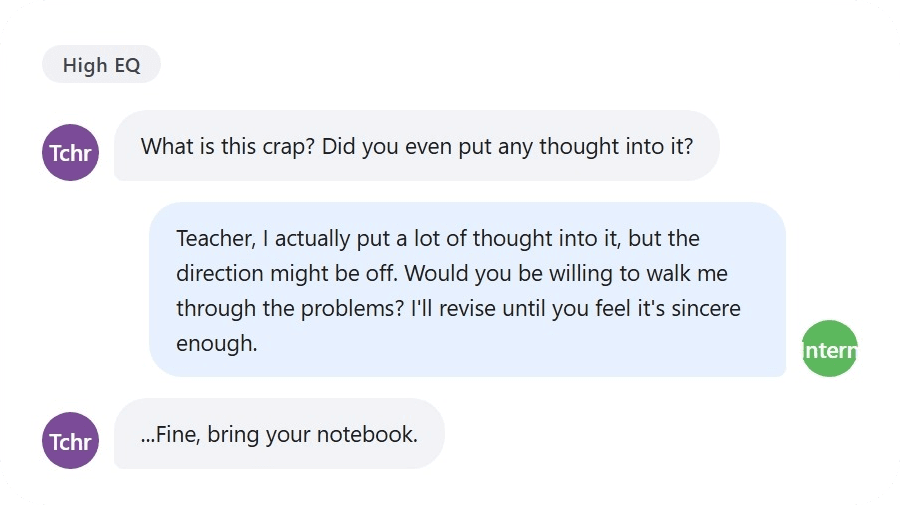
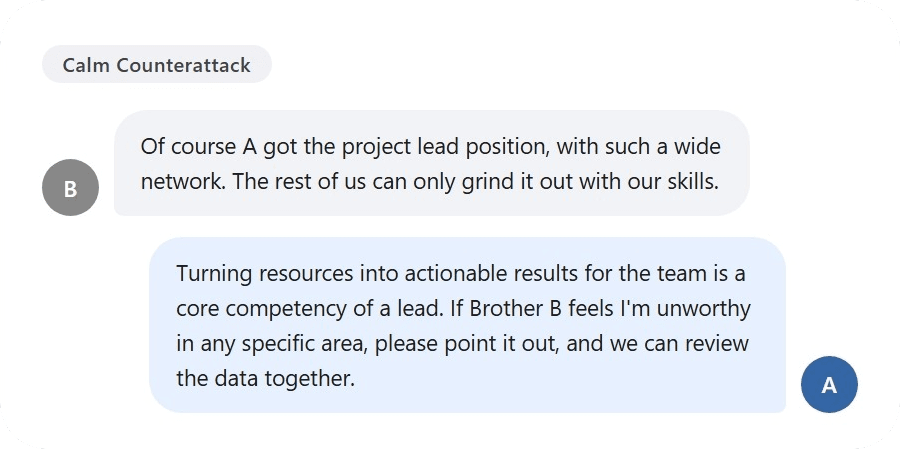
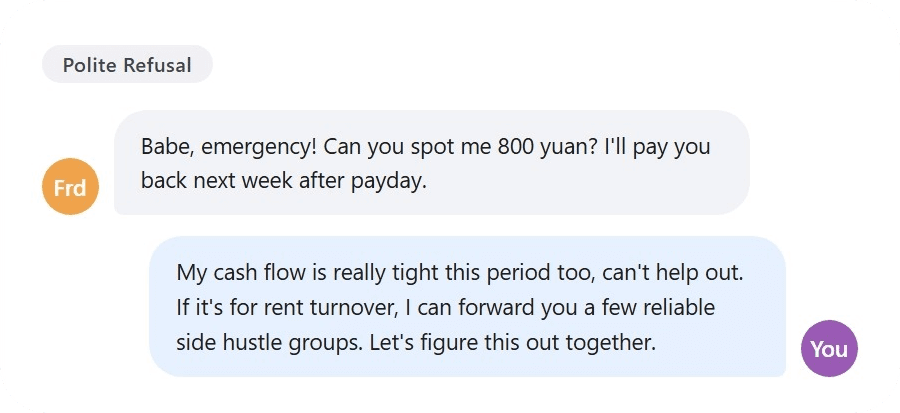
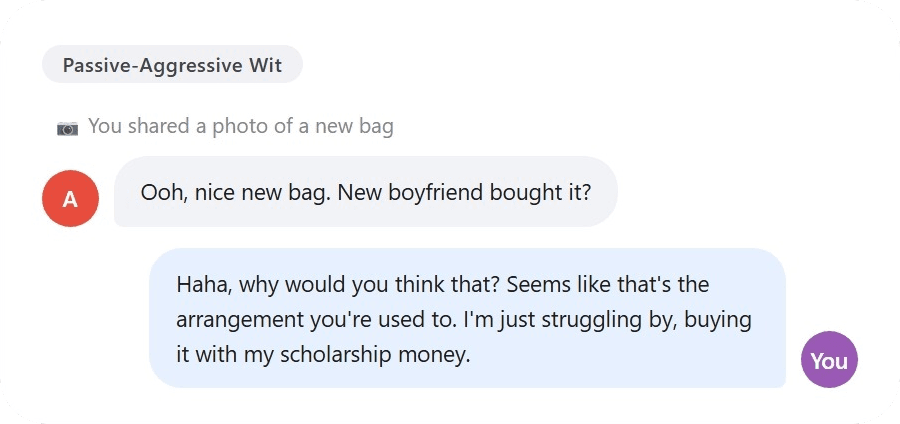
See how EQ Reply turns awkward messages into natural, ready-to-send replies.
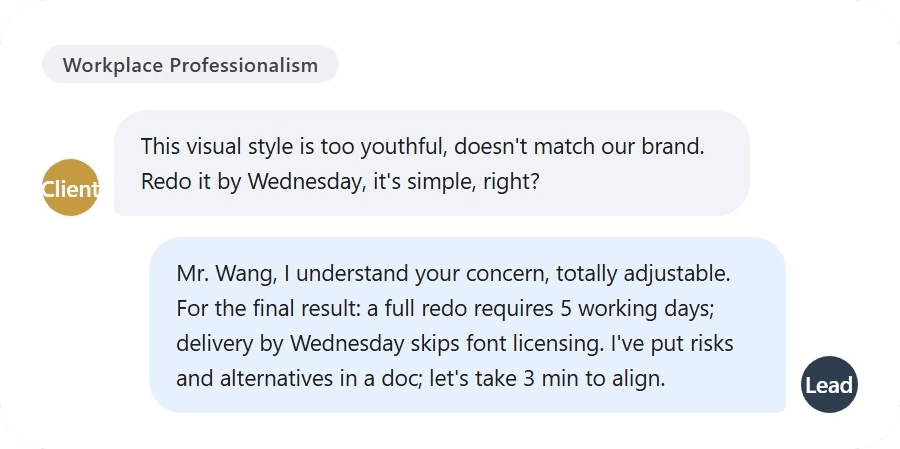
Key features of EQ Reply
Experience the next-generation AI high-EQ reply generator: real, natural, and bounded for everyday conversations.
High EQ replies for real conversations
EQ Reply helps people create high EQ replies for daily chat, workplace messages, relationship tension, social conflict, and boundary setting. It turns awkward moments into short, natural responses for WeChat, WhatsApp, and other messaging apps.
Human-like high-EQ replies
Generate replies that feel like real chat: not stiff, not preachy, and not robotic. Useful for relationships, work, and daily social moments.
Multiple reply styles
Choose gentle expression, high-EQ communication, calm response, polite refusal, humor, workplace tone, clear boundaries, or light comeback.
Replies in seconds
Paste one message and get multiple natural, ready-to-send replies in just a few seconds.
Understands real context
Optimized for awkward chats, social pressure, passive aggression, workplace exchange, relationships, and boundary-setting.
Privacy first
Use it without sign-up. Recent history is kept locally in your browser, and your chat content is never shown publicly.
Share-ready output
Copy replies quickly or create a polished poster for saving, sharing on social media, or sending to friends.
FAQ
Have more questions? Contact us at support@eqreply.org.
What is EQ Reply and how does it work?
EQ Reply is an AI high-EQ reply generator that helps you quickly create natural, realistic, and boundaried replies for chat, relationships, workplace communication, and social conflict. Just enter what the other person said and choose a reply style, such as Soft but Firm, Calm Comeback, or Polite Refusal. EQ Reply will generate multiple high-EQ replies that sound like real messaging, not AI writing.
Is EQ Reply free to use?
Yes. EQ Reply is currently completely free to use. No sign-up, no credit card, and no complicated process. You can start generating high-EQ replies right away and experience a natural AI chat tone. In the future, we may launch premium features such as unlimited generation and advanced personas, but the basic features will remain free for the long term.
How is EQ Reply different from other AI tools?
EQ Reply focuses on: - Real chat context - WeChat and messaging style - High-EQ expression - Boundary-setting communication - Human-sounding replies It is not a traditional AI writing tool. EQ Reply is more like an emotional expression assistant that truly helps you reply to messages. The goal is short, natural, emotionally clear replies instead of robotic text or essays.
Do I need to create an account to use EQ Reply?
No. You can open eqreply.org and start using it directly, with no login or registration required. To keep the experience simple, EQ Reply currently uses local browser history. Your recent replies are saved in localStorage in your browser.
What types of replies can EQ Reply generate?
EQ Reply supports many social and messaging scenarios, including: - High-EQ chat replies - Polite refusal - Passive-aggressive comeback - Workplace communication - Boundary-setting expression - Breakup replies - Relationship chat - Responding to emotional distance - Pushing back without sounding rude You can also choose different tones so the AI matches the way you want to express yourself.
Does EQ Reply save my chat content?
We care deeply about privacy. EQ Reply currently does not require an account. Your chat history is saved only in your local browser by default and will not be publicly displayed. If cloud features are added in the future, we will follow a data-minimization approach and protect user privacy as much as possible.
What AI model does EQ Reply use?
EQ Reply uses advanced large language models, such as the DeepSeek API, to generate replies. We optimize the experience for real messaging and Chinese internet chat context, so the replies feel more like human chat instead of traditional AI writing.
Are there any usage limits?
EQ Reply is currently free to use and supports multiple chat scenarios. To keep the platform safe, illegal, abusive, harassing, or inappropriate generation requests may be limited. Daily free quotas and premium membership features may be added in the future.
Can I use generated replies commercially?
Yes. You own the right to use the content you generate and may use it for personal communication, content creation, or business scenarios. Please do not use generated content for illegal, fraudulent, or malicious purposes.
Does EQ Reply work on mobile?
Yes. EQ Reply uses responsive design and works well on both mobile and desktop devices. On mobile, it also supports: - Sticky bottom generation button - Long-press poster saving - Quick reply copy
How can I send feedback or suggestions?
We welcome your feedback. If you have: - Feature suggestions - Bug reports - New style ideas - Scenario requests Please contact us at support@eqreply.org. Your feedback helps EQ Reply keep improving reply quality and user experience.
What features will EQ Reply add in the future?
We are continuously upgrading EQ Reply. Planned features include: - WeChat screenshot upload - OCR chat recognition - Saved replies - Advanced personas - Couple mode - Workplace mode - Long-term AI memory - Chrome extension - Telegram Bot Our goal is to build the best AI emotional expression tool for real internet conversations.